

Orders and shipments in one place
Kardonis Zamówienia collects orders from online shops and your ERP in one list. An employee sees the customer, delivery, payment and items, and creates a shipment and downloads the label straight from the order.
Who it is for
- You sell in several shops and check orders in several panels.
- You copy waybill data by hand into the carrier’s panel.
- The warehouse needs one fulfilment list, whatever the sales channel.
What it does
-
One order list
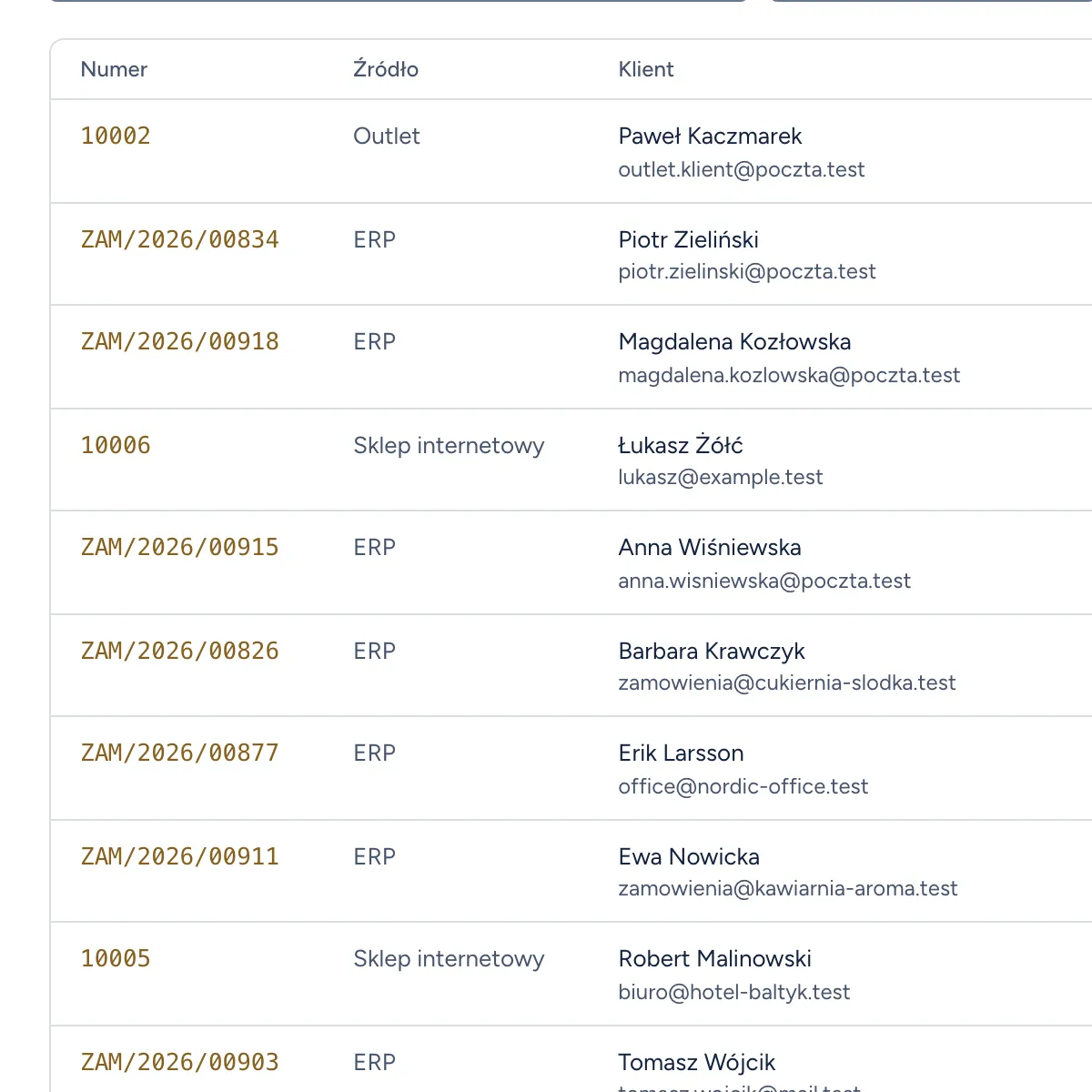
Orders from Shoper shops and from the ERP (through SQL views) land in a shared list with the customer, delivery method, parcel locker, payment and cash on delivery.
-
Updated every few minutes
New and changed orders are fetched automatically. Each source is fetched separately, so a slow shop does not hold up the others.
-
InPost and DPD shipments
From an order you create an InPost shipment (parcel locker or courier) or a DPD Classic one. Both carriers support cash on delivery.
-
PDF labels
You download the label in A6 or A4 (InPost courier only A6), ready to print.
-
No duplicate parcels
If an order already has a shipment, the system asks for confirmation before creating another. An interrupted shipment is not silently sent a second time: the system resumes it or asks you to check with the carrier.
-
Read-only sources
The module changes nothing in the shop or the ERP: it does not touch statuses or tracking numbers.
What it looks like in the panel
Screenshots of the Kardonis panel. The interface is in Polish and the data shown is sample data.

How it works
- You connect your shops and ERP as data sources, and your carrier accounts.
- Orders appear in the list and refresh every few minutes.
- An employee opens an order and checks the address, items and payment.
- They click “Create shipment”, choose the carrier and download the label.
Control and data
- Only an employee creates a shipment. The system sends nothing on its own.
- Access credentials for carrier accounts are encrypted.
- The shop and the ERP are only read.
Deployment
- Installed at your company, in the same panel as Kardonis Poczta.
- Orders from the ERP require SQL views to be prepared in the program’s database.
- You need carrier accounts: InPost and DPD.
What the module does not do yet
- It does not track shipments after they are created. You check delivery status with the carrier.
- It does not fetch orders directly from Subiekt GT or Comarch ERP Optima.
- It does not write statuses or tracking numbers back to the shop and ERP.
- It does not book couriers and does not print labels in bulk.
- InPost courier: label in A6 format only.
- Planned: more carriers.
Questions about Kardonis Zamówienia
Which sources do you fetch orders from?
From Shoper shops and from an ERP where your database administrator prepares views with the orders. You add each source separately, with no limit on the number of shops.
Does the module change the order status in the shop?
No. Today the module only reads orders. You update the status and tracking number in the shop as you do now.
Can I create a cash on delivery parcel?
Yes, both InPost and DPD Classic.
Other modules
See Zamówienia in action
Tell us which shops and carriers you use. We will check whether the module fits your company.
Book a conversation- [UZUPEŁNIJ: e-mail kontaktowy]
- Phone
- [UZUPEŁNIJ: telefon]