

An AI assistant for company email
Kardonis Poczta watches your customer service and sales inboxes. It recognises what a message is about, checks the order, invoice or stock level in your ERP and shop, and then drafts a reply in Polish. An employee reads it, edits it and sends it.
Who it is for
- Your support team answers the same questions every day: where is my order, when is delivery, please send an invoice.
- Sales staff price B2B enquiries by hand, copying prices and stock levels from the ERP.
- A shared inbox has no owner and some messages wait too long for a reply.
- Customer correspondence must not be sent to external AI services.
What it does
-
Reply drafts in Polish
Every message gets a draft based on data from your ERP and shop. An employee can approve it, edit it or generate it again.
-
ERP and shop data, read-only
Subiekt GT and Comarch ERP Optima work out of the box. Subiekt nexo, Symfonia, WAPRO or enova365 connect through SQL views. Shoper shops are supported too. The assistant changes nothing in these systems.
-
B2B offers
For a price enquiry the assistant lists the products and quantities, takes prices and stock levels from the ERP, and the system calculates the discount from configured thresholds. The model does not quote prices. An offer reaches the customer only after an employee approves it.
-
Categories and SLA deadlines
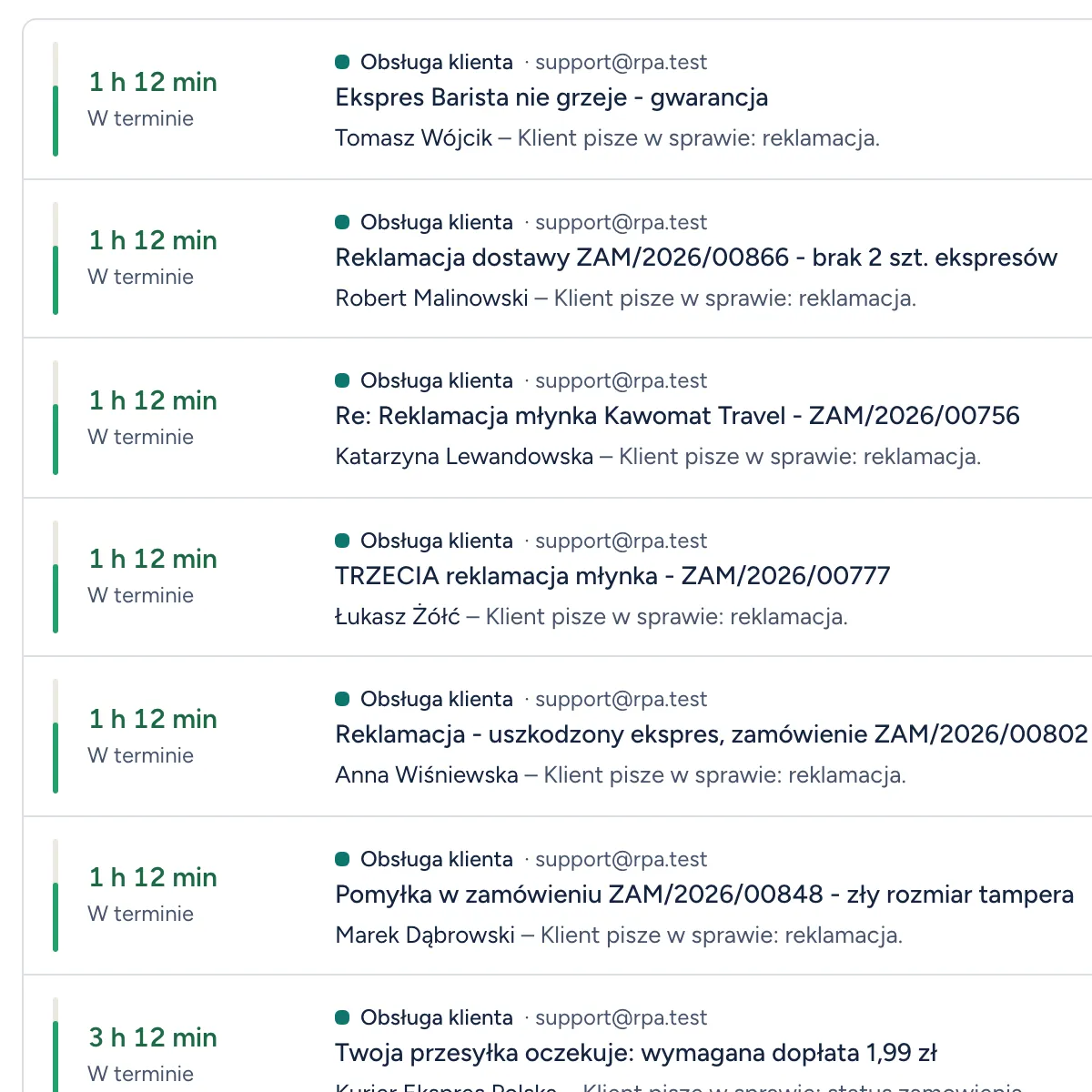
Messages are sorted into categories, and each category has its own reply deadline. The panel shows how much time is left.
-
Auto-reply and loop filter
Autoresponders, bounces, mailing lists and loops between inboxes are filtered out before they reach the model or the team’s queue.
-
Several inboxes and sales channels
Each inbox has its own data sources, so an outlet shop never shows orders from the main shop. The reply goes out from the inbox the message arrived in.
What it looks like in the panel
Screenshots of the Kardonis panel. The interface is in Polish and the data shown is sample data.


How it works
- A message arrives in your company inbox (IMAP, Google Workspace or Microsoft 365).
- A filter drops auto-replies, bounces and newsletters, and the message gets a category and an SLA deadline.
- The assistant fetches what the question is about from your ERP and shop: an order, an invoice, a stock level.
- A language model drafts a reply in Polish.
- An employee approves, edits or rejects the draft. Only then does the message go to the customer.
Control and data
- No message leaves without an employee’s decision.
- Email, ERP data and the language model stay inside your company network.
- Access to the ERP and shop is read-only.
- Every action is written to an event log that cannot be changed.
Deployment
- Installed at your company, on a device with a local language model.
- A browser panel in Polish, with administrator and operator roles.
- We connect the inboxes and data sources, and set up categories, reply deadlines and offer terms.
Planned
- Installation on an ordinary server or a computer with a graphics card instead of a dedicated device.
- A variant with a language model hosted by us in an EU data centre, for companies without their own hardware.
Questions about Kardonis Poczta
Does the assistant reply to customers on its own?
No. It prepares a draft, and an employee always approves sending.
Do we have to change our ERP or mail program?
No. The assistant connects to your existing inboxes and reads ERP data through a read-only account.
What if the model gets it wrong?
Next to the draft the employee sees the ERP data the message refers to, so checking the reply is easy. In offers, the system calculates prices, discounts and amounts, not the model.
Other modules
See Poczta in action
We will show how the assistant handles order questions, complaints and price enquiries.
Book a conversation- [UZUPEŁNIJ: e-mail kontaktowy]
- Phone
- [UZUPEŁNIJ: telefon]